
You have no items in your shopping cart.
What to Include in an LED Signage Power Supply Enquiry
Saturday, October 10, 2026
Click here to download PDF
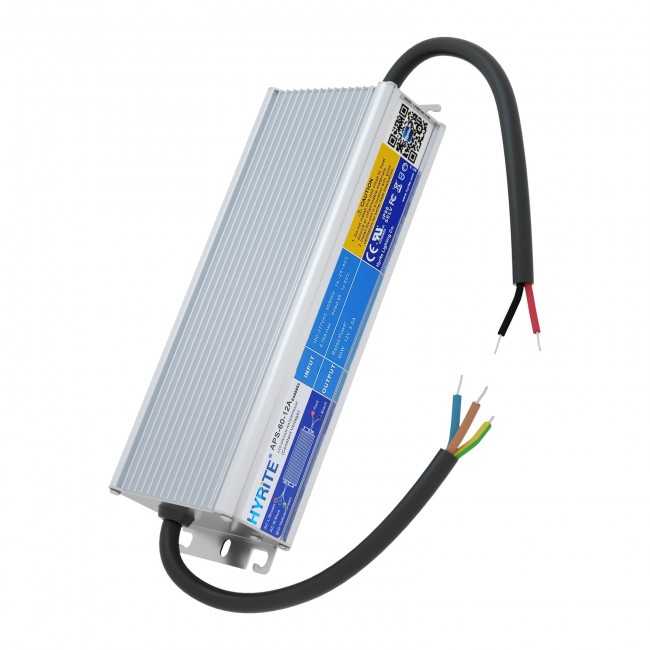
A request for “a waterproof 60W LED driver” leaves important questions unanswered. What does it power? How are the modules connected? Where will the supply operate? A useful enquiry gives the supplier enough information to check the electrical load and installation conditions before quoting a specific model.
This checklist turns those questions into a practical request. The example uses publicly documented HYRiTE products. It is a worked selection exercise, not a customer installation or a tested system approval.
In this guide
1. Identify the exact LED load
Start with the module or strip model, its specification and the quantity connected to each supply. Include operating voltage, rated power and any controller or dimming equipment. Photographs of the label and a simple wiring sketch are more useful than a description such as “white LEDs for a sign.”
For example, the HYRiTE LEDMK-W420-PH-U65 MK-U four-LED module is specified at 12V DC and 1.44W per module. Its product page calls for a 12V constant-voltage supply and limits a connected chain to 20 modules. Those requirements belong in the enquiry, not just the total wattage.
If the load documentation is incomplete, say what remains unknown. Do not substitute a constant-current driver simply because its wattage is similar. For the electrical distinction, see our CV versus CC guide.
2. Show the calculation—and the circuit arrangement
Suppose a proposed sign uses 30 of those modules. The nominal load calculation is:
- Total module power: 30 × 1.44W = 43.2W.
- Nominal current at 12V: 43.2W ÷ 12V = 3.6A.
- Proposed arrangement: two separately fed branches of 15 modules, not one chain of 30.
Each branch contains fewer than the documented 20-module maximum. That does not establish the suitability of its cable, connectors or controller: those still need checking. If additional equipment draws power from the same supply, add its documented consumption to the budget.
The HYRiTE APS-60-12A is a 12V, 5A, 60W constant-voltage model. The example's nominal module load is 72% of its rating. Its 2025.05.12 specification recommends using no more than 80% of rated load to accommodate increased module or strip consumption as operating temperature rises. For this model, 80% is 48W; 43.2W is below that preliminary ceiling.
This is an initial candidate, not an approval. The 80% recommendation is specific to the cited specification, not a universal rule for every LED power supply. Actual load variation and installation conditions must still be assessed.
3. State the temperature at the supply
Report the expected temperature around the power supply inside the sign, not only the outdoor weather temperature. Describe ventilation, available space and mounting location. Include the AC supply conditions so the supplier can check both temperature and input-voltage derating.
In the same APS-60-12A specification, the ambient-temperature curve reaches approximately 70% load at 60°C. That corresponds to approximately 42W, below the example's 43.2W module load. The preliminary selection therefore does not pass that specific temperature condition. A higher-capacity suitable model or a different installation arrangement needs evaluation; a “60W” label alone cannot settle the decision. The chart is not proof that any enclosed installation will stay within its limits. APS-60-12A specification, page 1.
4. Include wiring and exposure details
Provide the distance from the supply to each branch, conductor size, connector type and proposed distribution arrangement. Cable current capacity and voltage drop are separate checks: a cable may carry the current yet still lose too much voltage before it reaches the modules. This distinction is explained in MEAN WELL's manufacturer application FAQ, Q1.
Do not assume the module's own wire specification is suitable for every upstream feeder. Ask for a wiring review against the actual layout, and have the installer verify operation at the load.
Also describe rain, splash, condensation and possible standing water at the supply's location. An IP rating is not a complete installation approval. For the exposure questions, use our IP67/IP68 application guide. This enquiry example does not authorize immersion or pool installation.
5. Separate project requirements from supplier credentials
State the destination market and any certification, Class 2, EMC or documentation requirements imposed by the project. Ask for evidence covering the exact model and configuration; do not treat a company's certification or a family name as proof for every variant.
Include purchase quantity, sample requirements and the requested delivery date. Ask the supplier to confirm availability and timing rather than treating a requested date as an agreed delivery commitment.
6. Send an enquiry that can be checked
Here is a concise template based on the worked example:
We are evaluating a 12V constant-voltage supply for 30 HYRiTE LEDMK-W420-PH-U65 modules. Nominal module load is 43.2W / 3.6A, arranged as two separately fed branches of 15 modules. Please evaluate APS-60-12A or another suitable model after checking derating and the proposed wiring. AC supply: [actual value]. Expected temperature at the supply: [actual range]. Feeder lengths and conductor sizes: [details]. Exposure and mounting: [details]. Controller consumption: [value, or none]. Destination market and required approvals: [requirements]. Quantity and requested delivery date: [details]. Please provide the current specification and any installation restrictions with the quotation.
Use the HYRiTE product hub to identify a family, then send a project enquiry with the load documentation and wiring sketch, or email info-req@hyrite.com.
The goal is a checkable selection—not simply a matching wattage. A clear enquiry lets the quotation address the actual sign, while keeping unconfirmed requirements visible.
Back to Blog & Insights<< back